

OPPO India has officially commenced the phased over-the-air rollout of its November 2026 monthly software update for ColorOS 17 across eligible flagship, mid-range, and foldable smartphones. Built atop the Android 17 framework, this comprehensive monthly maintenance release introduces a robust package of functional enhancements and system optimizations. The update focuses on core utility areas including media handling, camera vision intelligence, communication accessibility, cross-device integration, and deep interface personalization, while expanding support to newly deployed Find and Reno series models across the country.
| Feature Category | Key Addition | Functional Capability |
|---|---|---|
| Media Management | Flexible Image Export & Custom Sizing | Modify resolution presets, aspect-ratio locked sizing, and compression tiers |
| Storage Utility | Granular Local vs Cloud Photo Deletion | Separate local purging from cloud backups; 60-day recovery window |
| Camera Vision | OSee Landscape & Live Object Recognition | Horizontal camera orientation with real-time physical subject classification |
| Accessibility | Incoming Call Caller Announcements | Read caller identity aloud continuously or only when headphones/Bluetooth active |
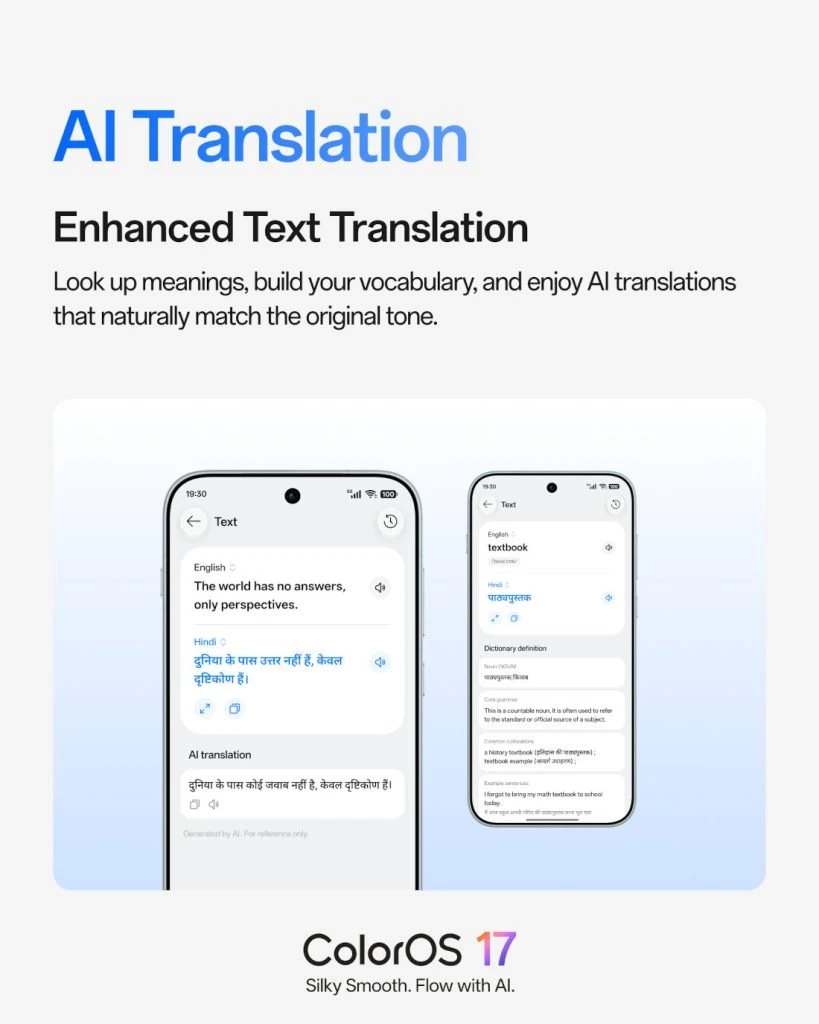
| Language Tools | Contextual AI Translation & Dictionary | Tone-preserving text translation paired with integrated vocabulary builders |
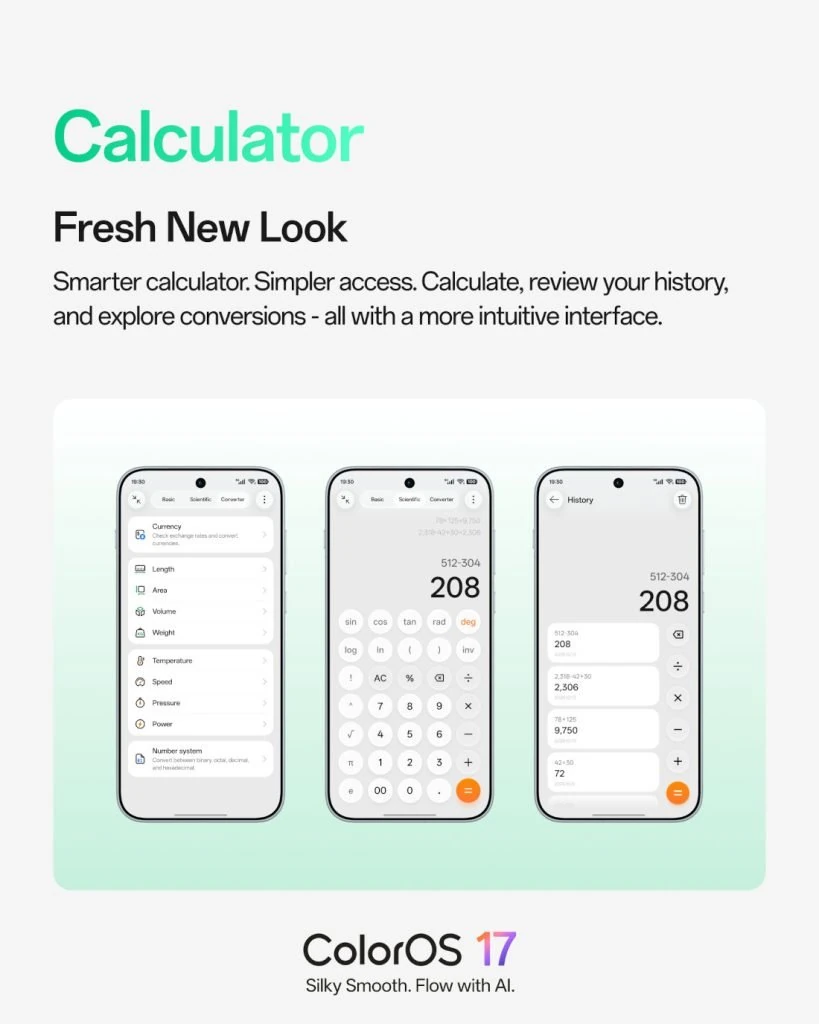
| Productivity | Redesigned Scientific & Base Calculator | Unified interface switching between basic, scientific, converters, and history log |
| Cross-Device Ecosystem | O+ Connect Multi-Device Link & PC Unlock | Concurrent phone-tablet-PC connections with automated proximity PC unlocking |
| Interface & Privacy | Resizable Grid Widgets & Hidden App Return | Drag-to-resize widgets; direct home screen return when exiting hidden apps |
Media and Storage Management: Flexible Export and Granular Cloud Deletion
Mobile photography and file sharing receive substantial workflow refinements inside the native Photos application. To prevent bandwidth waste and preserve onboard memory, ColorOS 17 introduces granular controls for exporting and archiving visual media:
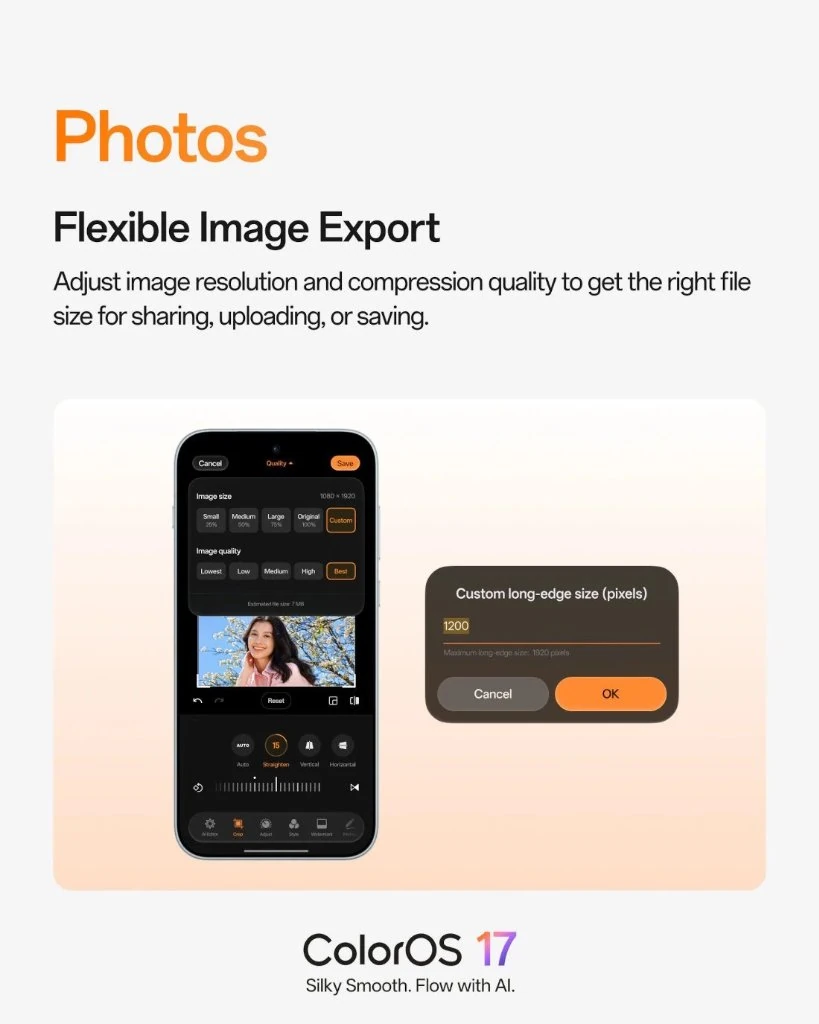
- Flexible Image Export: The Photos application now incorporates advanced export controls that enable users to adjust image resolution and compression quality prior to saving or transmitting files. The interface offers multiple predefined dimension presets, custom pixel sizing with strict aspect ratio locking, and selectable compression tiers to strike the perfect equilibrium between file size and visual fidelity.
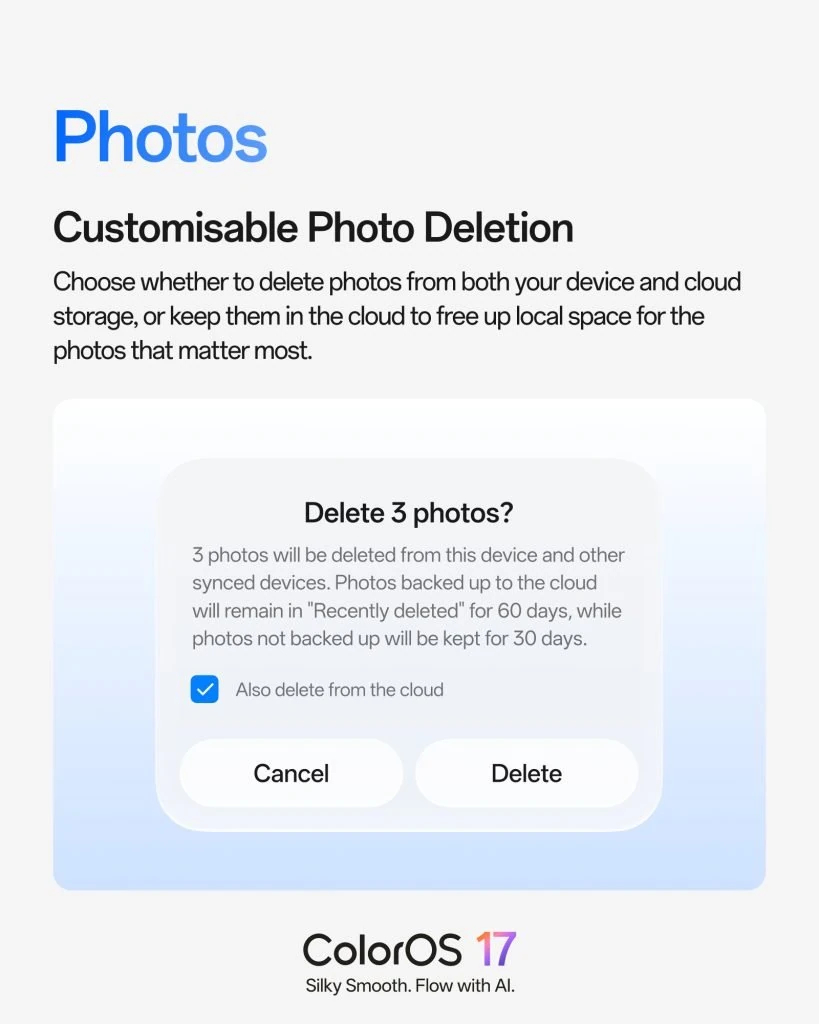
- Granular Local and Cloud Photo Deletion: Storage management inside Photos now handles local device memory and cloud storage independently. When deleting items, users can choose to remove images simultaneously from both local storage and the cloud, or purge local device copies while preserving cloud backups to free up device space. Backed-up media is retained inside the “Recently Deleted” bin for 60 days before permanent deletion, whereas unbacked local media remains recoverable for 30 days.
Camera and Vision Tools: OSee Landscape Mode and Live Object Recognition
OPPO’s proprietary computer vision system, OSee, expands with substantial usability improvements designed for horizontal photography and real-time environment interaction:
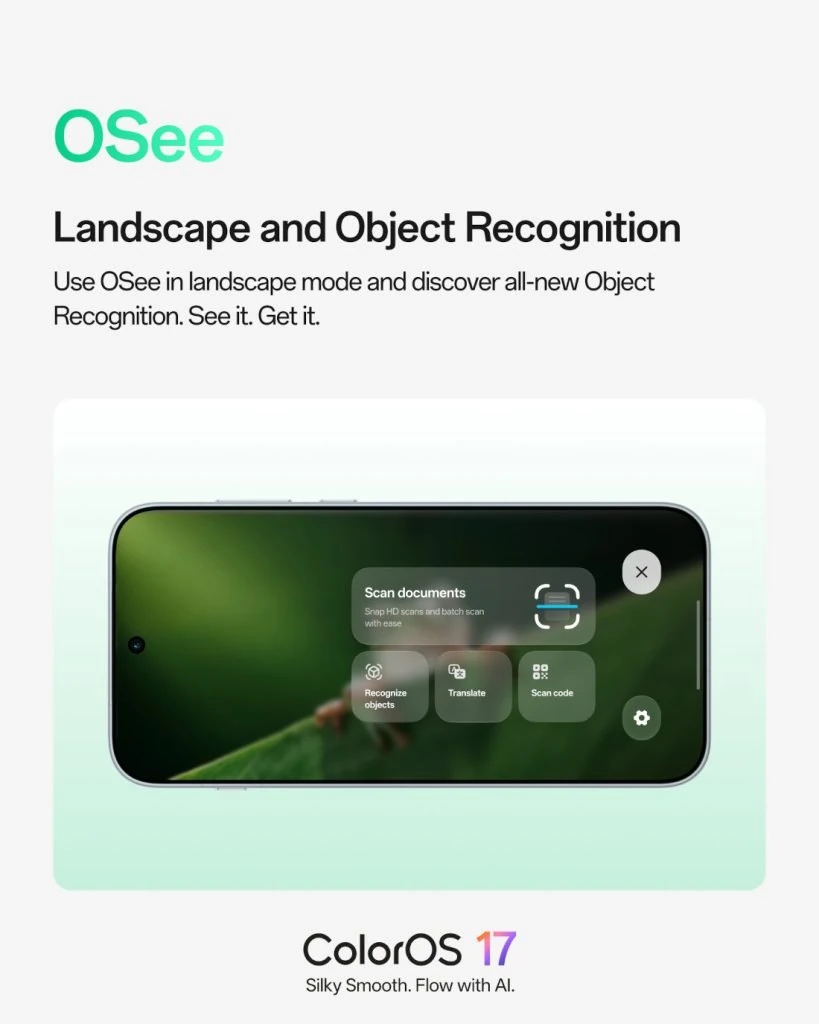
- OSee Landscape Support: The OSee visual intelligence viewfinder now operates seamlessly in horizontal orientation, streamlining wide-angle scanning of documents, signs, and panoramic subjects.
- Live Object Recognition: Integrated directly into the native camera viewfinder, a new identification engine detects, tracks, and categorizes physical subjects in real time, serving contextual metadata, purchasing options, and visual definitions instantly.
Communication and Productivity Tools: Caller Readouts, AI Translation, and Redesigned Calculator
Daily productivity and accessibility receive dedicated upgrades across native system applications:
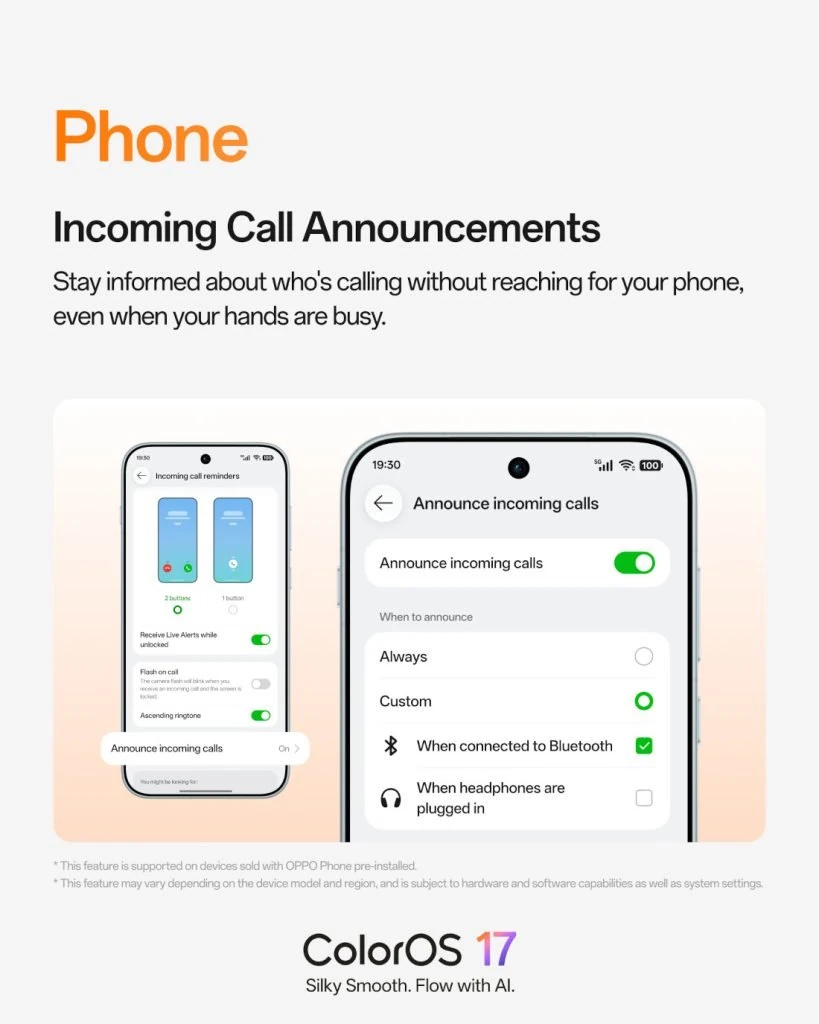
- Incoming Call Announcements: The default Phone dialer can now audibly speak incoming caller names aloud. Users can configure the tool to announce callers continuously or activate strictly when connected to audio accessories such as Bluetooth earbuds, wireless car head units, or wired headsets.
- AI-Assisted Text Translation: System-wide translation capabilities have been refined to maintain contextual tone during text conversion. The updated translation suite incorporates built-in dictionary lookups and vocabulary-building flashcards for language learners.
- Redesigned Calculator: The Calculator application features a modular layout streamlining transitions between Basic, Scientific, and Unit Converter modes. A dedicated history log records past calculations, while the unit converter supports 10 distinct physical dimensions: currency, length, area, volume, weight, temperature, speed, pressure, power, and alternative numeric bases (hexadecimal, decimal, octal, binary).
Connectivity and Interface Enhancements: Multi-Device O+ Connect, PC Unlock, and Resizable Widgets
Ecosystem continuity between handheld devices and desktop workstations receives critical enhancements through updated background frameworks:
- Simultaneous Multi-Device Linking: Powered by O+ Connect (version 17.100.10 or later), users can maintain concurrent, active connections across a smartphone, a tablet, and a single Windows PC. This bridges shared clipboards, drag-and-drop file transfers, and notification forwarding simultaneously without requiring manual reconnects.
- Automated PC Unlocking: When connected via remote desktop link, paired PCs can unlock automatically using encrypted biometric credentials stored on the phone. The setting is toggled via the floating control overlay under
More > Unlock PC > Automatically unlock when connected. - Home Screen Widget Expansion: New interactive desktop widgets include “One-tap Boost” and “Storage Cleaner” in 2×1 and 2×4 dimensions, a 2×1 “Battery Usage” monitor, and “Contacts” widgets in 2×1 and 2×2 formats. Users can resize these widgets directly on the grid by dragging their outer border handles.
- Hidden Apps Navigation Setting: A new privacy workflow returns users straight to the home screen upon exiting an app marked as hidden, closing the app drawer entirely. The option is toggled via
Settings > Security & Privacy > Hide Apps > Settings > Return to Home Screen when exiting. - System Stability Optimizations: Background kernel patches address thermal efficiency, memory paging stability, and UI fluid rendering across all supported platforms.
Distribution Schedule and Official Supported Devices
The November 2026 update deploys through a staged over-the-air rollout extending between November 1 and November 30, 2026. The official deployment encompasses the following device families:
| Device Family | Supported Smartphone Models | Deployment Status |
|---|---|---|
| OPPO Find X10 Series | OPPO Find X10 Pro Max, OPPO Find X10 | Active Phased Rollout |
| OPPO Find X9 Series | OPPO Find X9 Ultra, OPPO Find X9 Pro, OPPO Find X9s, OPPO Find X9 | Active Phased Rollout |
| OPPO Find X8 Series | OPPO Find X8 Pro, OPPO Find X8 | Active Phased Rollout |
| OPPO Reno Series | OPPO Reno16 5G (alongside Reno15 and Reno14 series) | Active Phased Rollout |
| OPPO Foldable Series | OPPO Find N3, OPPO Find N3 Flip | Active Phased Rollout |
For cross-brand deployment timetables including OnePlus hardware, consult our full OnePlus and OPPO ColorOS 17 November 2026 update schedule alongside the dedicated OnePlus ColorOS 17 update rollout in India guide.
Step-by-Step Installation: How to Check for ColorOS 17 OTA
Because regional telecom networks and OTA servers deploy software in staggered IMEI blocks, users can initiate a manual query to pull the update immediately:
- Open Settings on your OPPO smartphone.
- Select System & Updates (or tap About Device).
- Tap the prominent ColorOS banner located at the top of the interface.
- If a prompt titled “New Version Available” appears, inspect the changelog and select Download and Install. Ensure your device maintains at least 50% battery capacity or is connected to a charging adapter before initiating system flashing.
PFD Context: Software Maturation in the Indian Android Landscape
OPPO’s disciplined monthly release schedule signals a decisive pivot toward sustained software reliability. As competitors accelerate testing programs, such as the Samsung One UI 9.5 beta in India, ColorOS 17 distinguishes itself by solving everyday frictions: preventing oversized photo uploads, eliminating accidental cloud photo loss, and providing hands-free phone notifications while driving or commuting. Indian users holding supported hardware should perform a manual update check today as regional server allocations continue scaling nationwide.
Stay Ahead in the Tech World
Join our community for breaking news, exclusive gadgets coverage & direct admin support.

