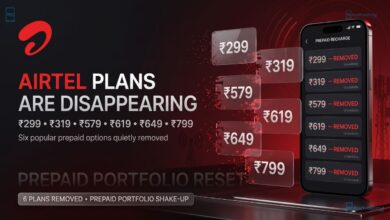





If you have been relying on your smartphone’s mobile hotspot to power your laptop, smart TV, or secondary devices using Airtel’s Unlimited 5G data wrapper, your free ride has officially come to an end.
In a quiet update to its official web portal, Bharti Airtel has revised the legal terms and conditions governing its Unlimited 5G Data Offer. The fine print now explicitly textually forbids subscribers from broadcasting their 5G bandwidth to other hardware architecture via mobile hotspots.
For users paying premium tier prices compared to competing networks, this change alters the overall value proposition of Airtel’s 5G network. Here is an exhaustive PFD breakdown of the official ban, the hidden caps under the hood, and the technical mechanics of how carriers track your tethered data.
Updated Terms: What the Fine Print Says

A close inspection of the newly refreshed Unlimited 5G Data Offer terms reveals a distinct new restriction line that leaves zero room for ambiguity:
“Sharing of Data where the customer has activated the Unlimited 5G Data shall not be allowed via mobile hotspots.”
If you toggle your mobile hotspot while connected to an active Airtel 5G node, the system will immediately detect the secondary device’s network traffic. Instead of drawing from your complimentary unlimited 5G bucket, that data will be aggressively deducted directly from your plan’s standard daily 4G/5G data limit.
Reality Check: 300GB FUP Cap and NSA Architecture
This hotspot crackdown sheds light on a broader conversation regarding what Indian telecom operators market as “unlimited” cellular data.
- Hidden 300GB FUP Cap: Airtel’s Unlimited 5G plan has never actually been completely infinite. Since its day-one introductory launch, a strict 300GB monthly Fair Usage Policy (FUP) cap has been enforced. Crossing the 300GB threshold inside a single billing cycle immediately throttles your network down to sluggish, sub-megabit speeds.
- Non-Standalone (NSA) Network Structural Realities: Unlike Reliance Jio, which built a true 5G Standalone (SA) network infrastructure from scratch, Airtel’s 5G Plus network operates on a Non-Standalone (NSA) architecture. This means Airtel routes its 5G signal over augmented legacy 4G network towers. Because it lacks a dedicated 5G core network, phones frequently drop back down to 4G mode mid-session, silently devouring your regular daily data quota without warning.
Airtel vs. Reliance Jio: 5G Value Matrix

With recent multi-brand price corrections hitting the telecom sector, selecting the right carrier requires looking closely at infrastructure caps:
| Network Parameter | Airtel 5G Plus Network | Reliance Jio 5G True Network |
| Core Network Architecture | 5G Non-Standalone (NSA) (Uses 4G Core) | 5G Standalone (SA) (Dedicated 5G Core) |
| Hotspot Data Sharing | 🚫 Strictly Prohibited | ✅ Fully Allowed |
| Monthly Fair Usage Cap | 300GB FUP Ceiling | 300GB FUP Ceiling |
| Relative Tariff Pricing | Premium Tier (More Expensive) | Standard Tier (More Cost-Effective) |
Tech Breakdown: How Carriers Know Your Hotspot is On
A common point of confusion among tech enthusiasts is how a mobile operator can tell the difference between phone data and hotspot data. Your device doesn’t explicitly send a configuration signal notifying the cell tower when you press the hotspot button. Instead, carriers infer it in real time using advanced network analytics and packet headers:

1. TTL (Time to Live) Signature
Every data packet sent across the internet contains a numerical value called TTL (Time to Live), which acts as a self-destruct counter to prevent packets from looping forever.
- When your smartphone generates its own native network requests (browsing an app or checking email), the packet leaves the phone with a default TTL value of 64.
- When you turn on a mobile hotspot and connect a laptop, the laptop creates a packet with a TTL of 64. However, as that packet routes through your phone to act as a gateway router, the phone automatically decreases the value by 1.
- The carrier receives the packet with a TTL value of 63, instantly revealing that the request originated from a secondary tethered device.
2. Deep Packet Inspection (DPI) & Architectural Tells
Beyond basic TTL checks, carriers monitor additional traffic signatures that differentiate mobile hardware from desktop operating systems:
- Parallel Connections: Desktop operating systems (Windows and macOS) open significantly higher volumes of simultaneous background network ports compared to lightweight mobile architectures.
- MTU Packet Size: Laptops utilize a higher Maximum Transmission Unit (MTU) size. When a mobile carrier forces packet fragmentation over a cellular link, the resulting data chunks easily give away the desktop source.
- Application Tracking: Launching desktop-exclusive web services, system OS update requests (like Windows Update), or specific desktop user-agent browser strings are instantly flagged via Deep Packet Inspection.
Tech Tweak: How to Bypass Hotspot Detection on Windows
Because this restriction turns into a persistent game of cat-and-mouse, advanced users can modify how their client operating system constructs network packets. By manually adjustment configurations to trick the carrier’s TTL check, you can force your laptop’s data to mimic native smartphone traffic.
If you are using a Windows laptop or desktop connected to your mobile hotspot, follow these precise configuration steps to mask your tethered traffic:
- Press the Windows Key + R shortcut on your keyboard to open the Run dialogue box.
- Type regedit into the text field and hit Enter to launch the native Registry Editor (grant administrative privileges if prompted).
- In the left-hand navigation tree, copy and paste the following path into the top address bar, then hit Enter:
HKEY_LOCAL_MACHINE\SYSTEM\CurrentControlSet\Services\Tcpip\Parameters- Right-click on any empty white space within the right-hand panel window, hover over New, and select DWORD (32-bit) Value.
- Name the newly created string value exactly as follows:
DefaultTTL- Double-click your newly created DefaultTTL entry. In the pop-up editing box, switch the Base option toggle from Hexadecimal to Decimal.
- Change the Value Data number to 65, then click OK.
- Close the Registry Editor and restart your computer to let the system configurations take effect.
How it works: By setting your computer’s baseline TTL output value to 65, the packet will naturally drop down by exactly 1 unit when passing through your smartphone’s hotspot router gateway. When the packet hits Airtel’s network towers, it will read as a standard value of 64 – matching native smartphone app traffic and bypassing basic detection filters.
PFD Verdict
Airtel’s official hard boundary on hotspot sharing is a heavy blow for remote workers, travelers, and power users who heavily rely on mobile tethering as a primary or backup home internet connection.
While manual registry tweaks offer immediate relief for Windows devices, keeping up with deep packet inspection changes remains a constant technical battle. If hotspot flexibility, standalone architecture, and competitive plan pricing are vital components of your daily digital workflow, switching your primary cellular slot to Reliance Jio is officially the most practical move this season.
Tags: Airtel unlimited 5G hotspot block, Airtel 5G Plus terms update, how carriers detect hotspot usage, TTL 65 registry bypass windows, 5G NSA vs SA India, telecom news 2026
Visit our website daily for latest tech news. Follow Us on Instagram for awesome tech stuff. Also, Join our Telegram Group and connect directly with Admin.