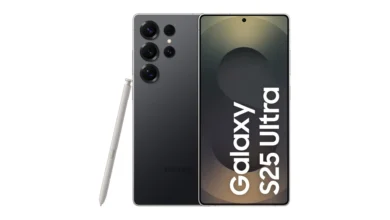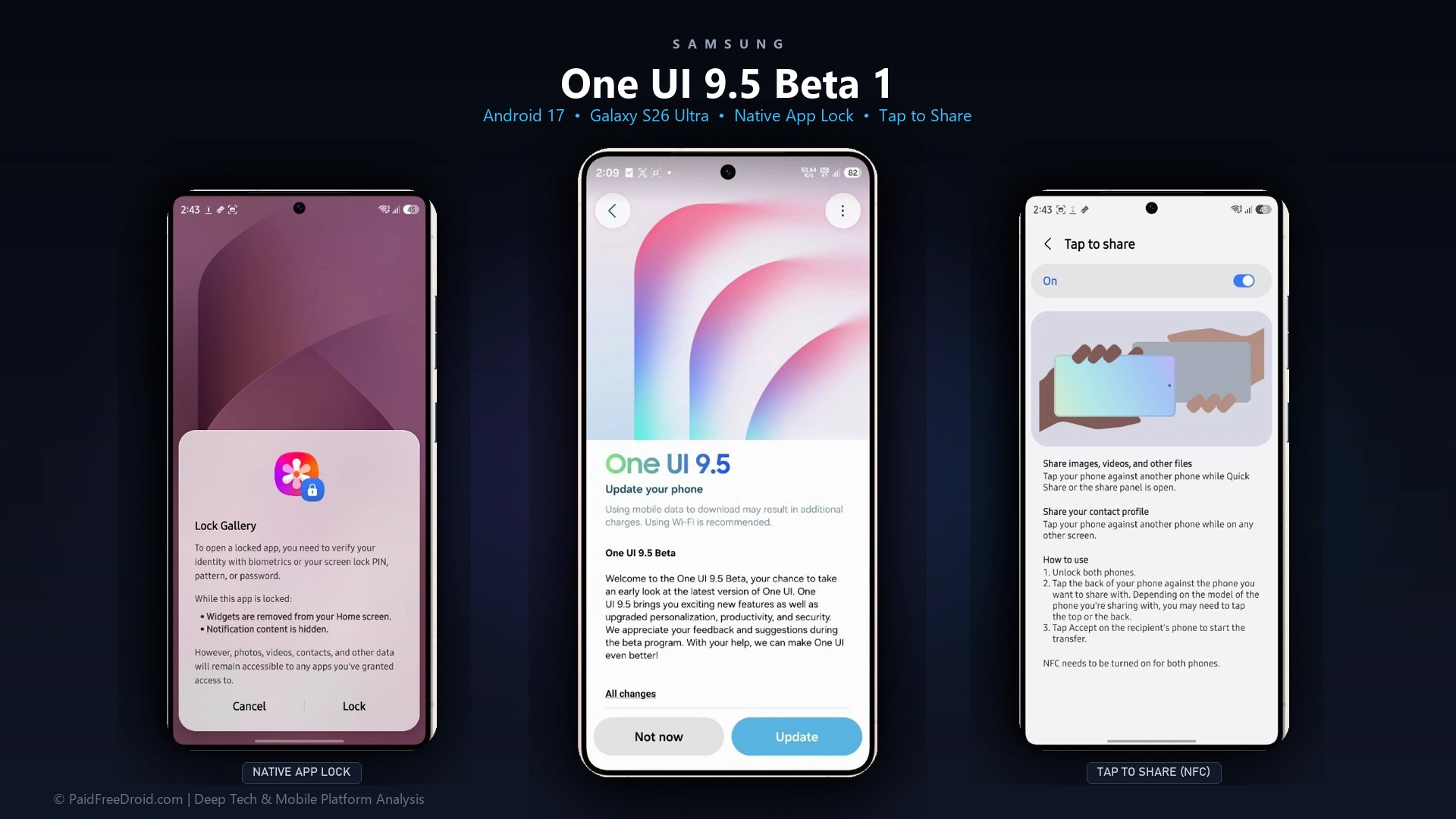
Samsung has officially initiated the public rollout of One UI 9.5 Beta 1, based on Android 17, for the flagship Galaxy S26 Ultra. In a notable departure from historical phased releases, India is included in the very first wave alongside South Korea and primary test regions. Arriving as a substantial 3.7GB over-the-air package, the update delivers long-requested consumer additions, headlined by native system-level App Lock, NFC-driven Tap to Share, dynamic lock screen depth effects, and overhauled camera controls.
Key Highlights and Beta Rollout Scope
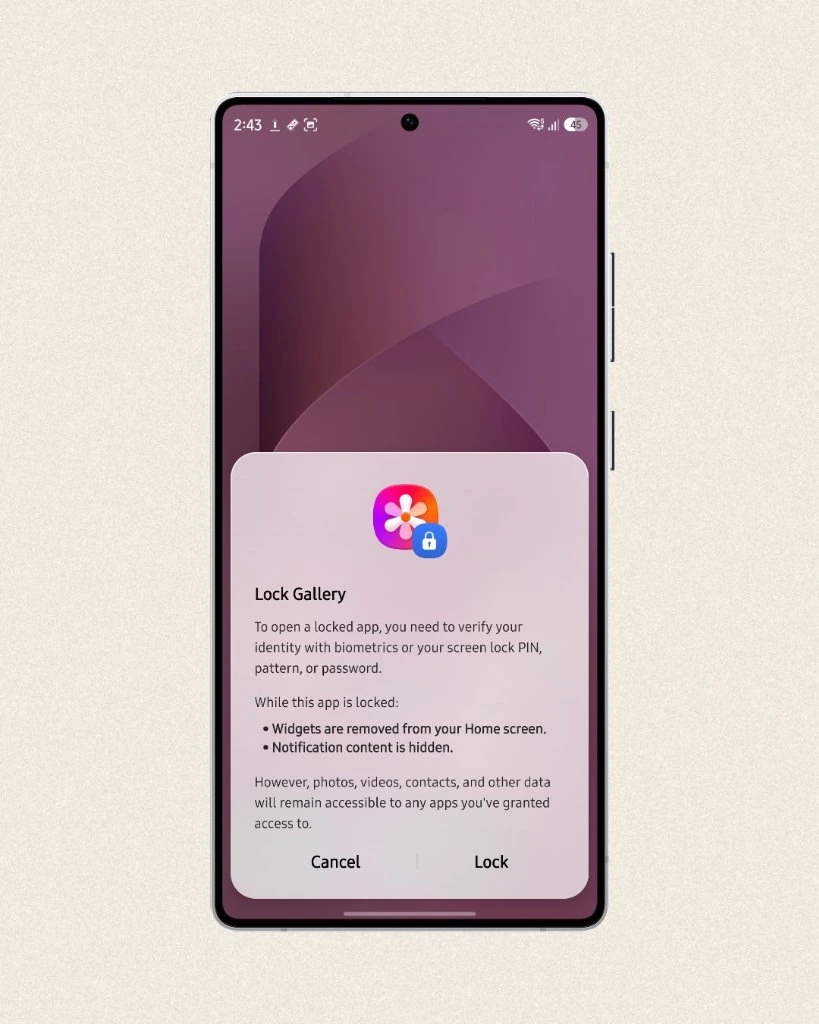
- Native System App Lock: Protect individual applications using a PIN, pattern, password, or biometrics, automatically hiding notification contents and removing corresponding home screen widgets.
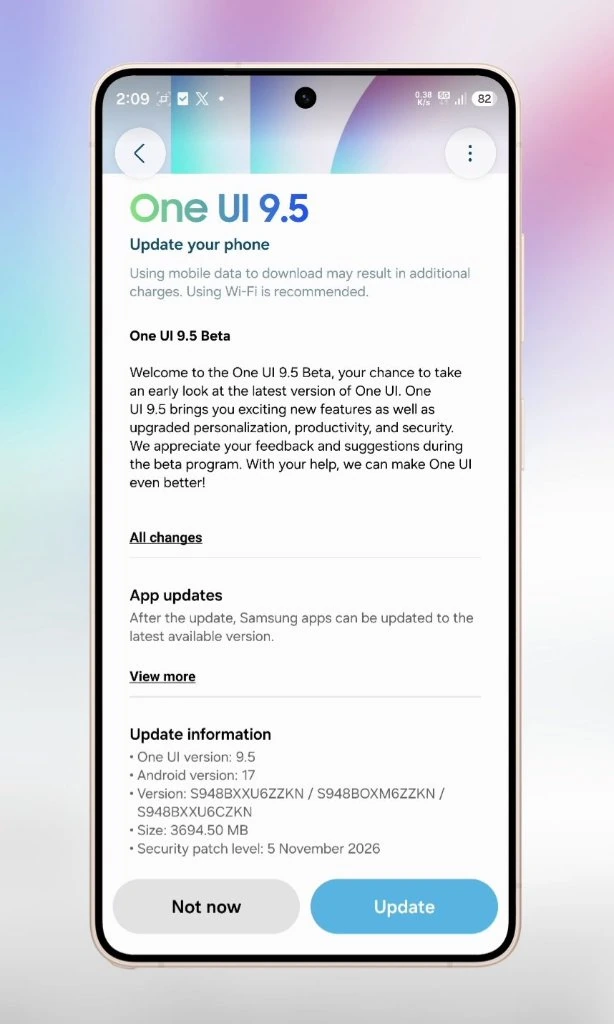
- First-Wave India Rollout: Indian Galaxy S26 Ultra units (SM-S948B) receive day-one access via the Samsung Members app, carrying build S948BXXU6ZZKN.
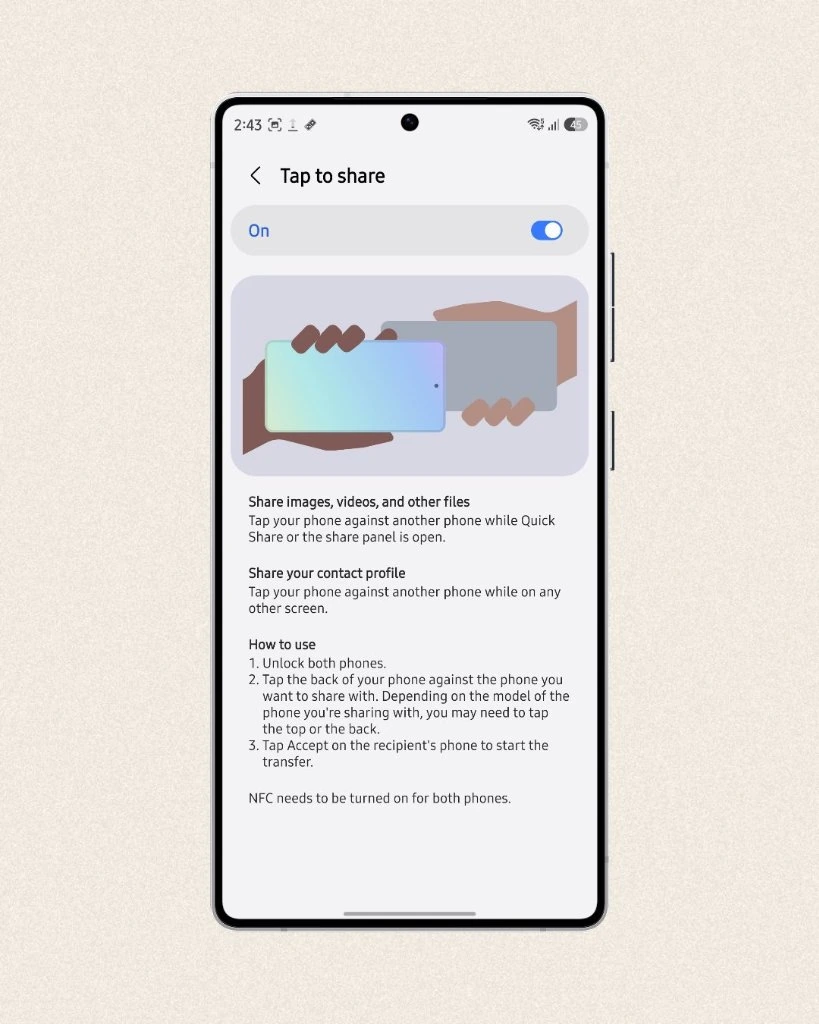
- Tap to Share Proximity Transfers: Exchange media, documents, and contact cards by physically tapping two Galaxy devices back-to-back while Quick Share is active.
- Lock Screen Live Effects: Wallpapers now support 2.5D dynamic depth motion, tilting responsive graphic layers behind frosted-glass widgets and configurable clock display intervals.
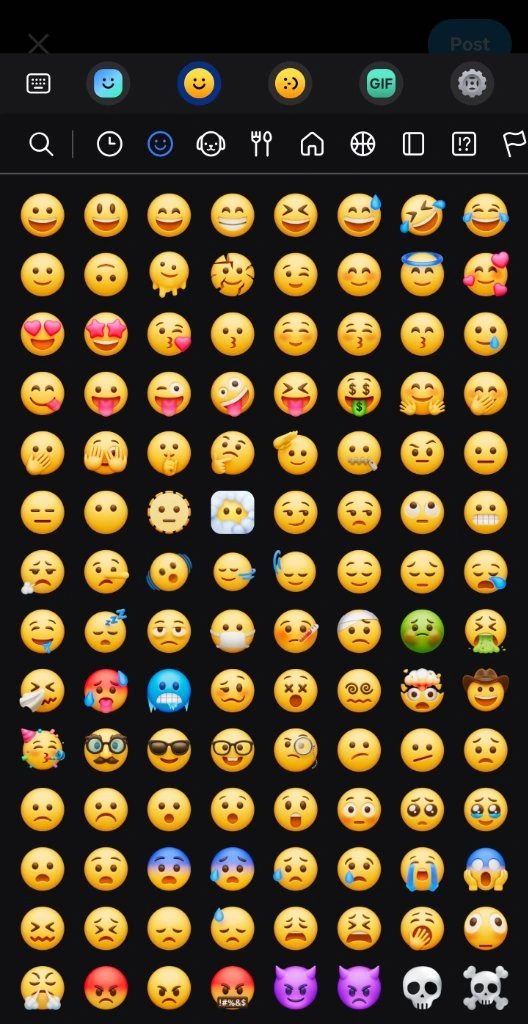
- Refreshed Samsung Keyboard and Emoji Suite: Introduces updated Android 17 emoji designs with fluid category navigation and cleaner tray ergonomics.
- Multitasking and Productivity Upgrades: Expanded Samsung DeX snap layouts accommodating up to four active windows, paired with native Microsoft Word (DOCX) and PowerPoint (PPTX) slideshow previews inside My Files.
- Performance and Platform Context: The Android 17 foundation introduces tighter background optimization, building directly on the architecture of previous Samsung Galaxy flagship performance benchmarks and hardware specs.
Samsung One UI 9.5 Beta 1: Firmware Specifications and Rollout Details
| Metric / Parameter | Official Firmware Details |
|---|---|
| Eligible Flagship Model | Samsung Galaxy S26 Ultra (SM-S948B) |
| Software Version | One UI 9.5 Beta 1 |
| Base Operating System | Android 17 |
| OTA Build Number | S948BXXU6ZZKN / S948BOXM6ZZKN / S948BXXU6CZKN |
| Update Package Size | 3,694.50 MB (~3.7 GB) |
| Security Patch Level | 5 November 2026 |
| Initial Rollout Regions | India, South Korea, United States, Germany, United Kingdom |
| Enrolment Channel | Samsung Members Application (Beta Banner Registration) |
| Discontinued Capabilities | Audio Broadcast and Enhanced Audio Services removed |
India Included in First Wave: Build Numbers and OTA Size
Historically, Samsung restricted initial One UI beta deployments to South Korea, Germany, and the United States, forcing Indian enthusiasts to wait for secondary waves. With One UI 9.5 Beta 1, Samsung has officially designated India as a tier-one testing region. Galaxy S26 Ultra owners registered through Samsung Members can immediately pull the full 3,694.50 MB firmware package, complete with the November 5, 2026 security maintenance release.
Native App Lock and Enhanced Privacy Display
The single most anticipated feature in One UI 9.5 is the arrival of native App Lock. Unlike prior iterations that required moving applications inside Secure Folder or downloading ad-supported third-party lockers, users can now restrict any installed app directly from system settings. When locked, an app requires biometric fingerprint authentication, face unlock, or screen lock credentials to open. To prevent data leakage, One UI automatically suppresses notification previews and strips linked widgets from the home screen until authorized.
Complementing App Lock is an enhanced Privacy Display protocol. On supported Galaxy hardware, the display dynamically narrows viewing angles when sensitive input fields are triggered, such as entering banking PINs, viewing private Gallery albums, or opening locked Samsung Notes. Biometric authentication also receives a convenience boost: users can complete fingerprint verification directly on the ultrasonic scanner without secondary on-screen confirmation prompts, reflecting broader Android platform security enhancements and quarterly feature drops.
NFC Tap to Share and Lock Screen Live Effects
Quick Share receives a physical proximity upgrade via Tap to Share. By enabling NFC communication between two Galaxy devices, users can initiate instant file transfers, photo shares, or contact card exchanges simply by tapping the rear glass panels together, mirroring Apple NameDrop functionality while maintaining high-speed Wi-Fi Direct data channels.
On the customization front, Lock Screen Live Effects introduce dynamic depth estimation to static wallpapers. Using real-time gyroscope tracking, background elements shift across distinct depth planes when tilting the handset. Clock displays gain granular interval toggles (10 seconds, 30 seconds, 1 minute, 5 minutes, and 10 minutes), while the Now Bar expands visual animations for live sports scores and system milestones.
Refreshed Samsung Keyboard with Android 17 Emoji Suite
One UI 9.5 integrates the latest Unicode emoji additions introduced with Android 17 into the native Samsung Keyboard. The emoji tray has been redesigned with higher icon density, distinct categorized quick-tabs, and updated expressive smilies with subtler shading gradients that integrate seamlessly across dark mode and dynamic theme palettes.
Pro Camera Interface, Snap Multitasking, and Office Previews
Samsung has reorganized camera ergonomics across both Pro Photo and Pro Video modes. Shutter speed and frame rate controls are grouped within a lower horizontal ribbon, allowing single-handed micro-adjustments without obscuring the framing preview. Pro Video adds visual audio channel meters and real-time gain sliders.
For power users, Samsung DeX introduces snap grid presets supporting two, three, or four concurrent applications with responsive edge snapping. The My Files application now natively renders Microsoft DOCX and PPTX slide presentations with full animation playback without requiring standalone office suites installed.
How to Install One UI 9.5 Beta 1 via Samsung Members
Galaxy S26 Ultra users in India and eligible international markets can enroll via the following procedure:
- Step 1: Launch the official Samsung Members app on your Galaxy S26 Ultra and ensure you are logged into your primary Samsung Account.
- Step 2: Tap on the “One UI Beta Program” registration banner located on the home carousel or under the Notices section.
- Step 3: Review and accept the beta terms and conditions, then click “Enroll”.
- Step 4: Navigate to Settings > Software Update > Download and Install to pull build S948BXXU6ZZKN.
- Pre-Installation Recommendation: Because beta software may introduce battery drain or app instability, perform a full Smart Switch backup to a PC before initiating the 3.7GB installation.
PFD Context
The swift inclusion of India in One UI 9.5 Beta 1 highlights Samsung’s tactical urgency to defend its premium market share against aggressive flagships from Vivo and OnePlus. By delivering highly requested utility features like native App Lock and intuitive Tap to Share, Samsung refines its software ecosystem as it prepares the foundation for upcoming hardware cycles, including the Samsung Galaxy S27 Ultra design leaks and future hardware roadmaps.
Stay Ahead in the Tech World
Join our community for breaking news, exclusive gadgets coverage & direct admin support.