






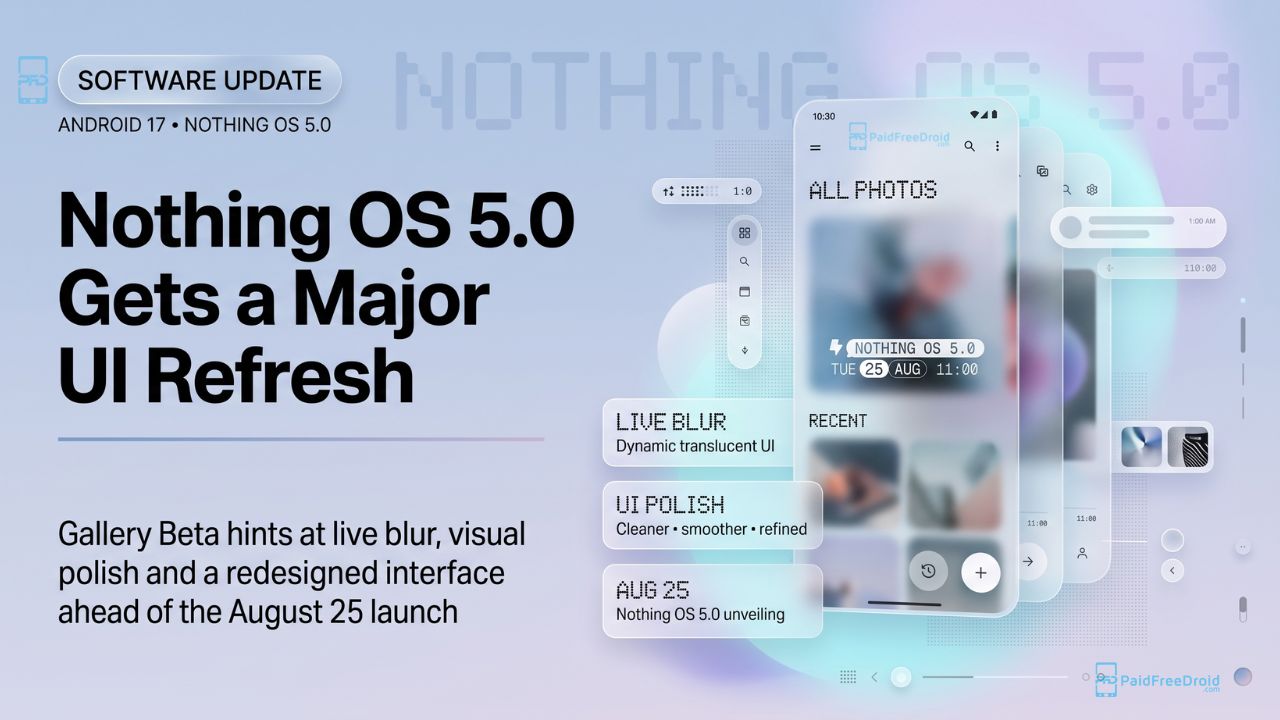
Many users felt that Nothing OS 4 was a massive disappointment, arguing that the generational leap delivered fewer tangible changes than a standard ColorOS security patch update. However, the wait for a true visual overhaul is almost over. Nothing OS 5.0, built on the newly released Android 17 platform, is officially scheduled for a full reveal on Tuesday, August 25, 2026, at 11:00 AM BST (3:30 PM IST).
Ahead of the official keynote, the brand has already started pushing the new aesthetic to users. The latest Nothing Gallery Beta update is currently rolling out via the Google Play Store, giving us our first hands-on look at the OS 5.0-inspired UI. Here is an exhaustive PFD breakdown of the new visual elements, Live Blur effects, and subtle UI polish coming to Nothing devices.
Shift to “Live Blur” and Transparent UI
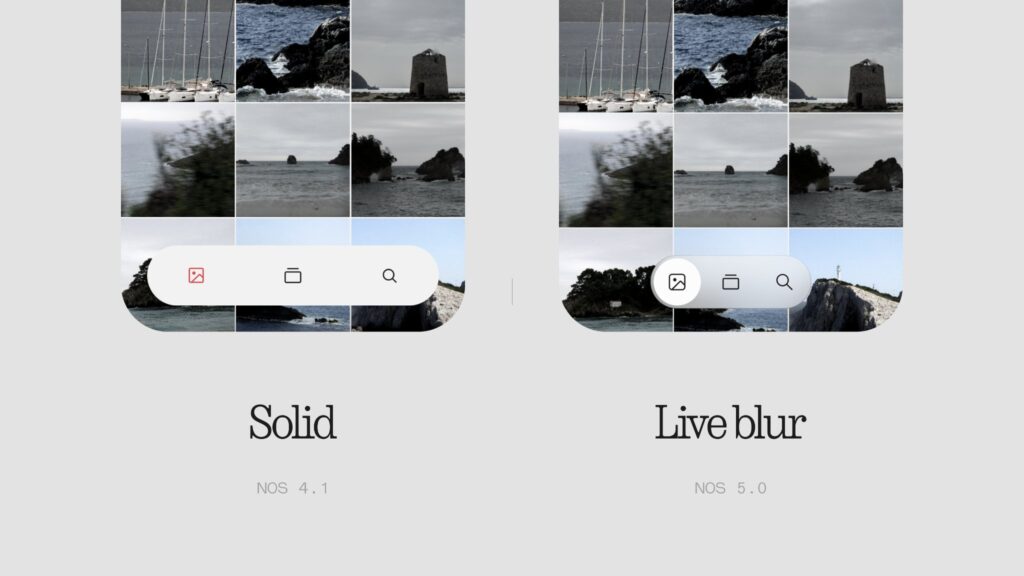
The most striking visual departure from Nothing OS 4 is the heavy implementation of translucency.
- From Solid to Blur: As showcased in the recent beta comparison, Nothing is transitioning away from the stark, solid backgrounds of OS 4.1 in favor of a dynamic “Live blur” aesthetic for OS 5.0.
- Floating Navigation: Reports suggest that the new OS will lean heavily into transparent, floating navigation bars that adapt to the content scrolling behind them.
- A Softer Aesthetic: While Nothing is known for its harsh black, white, and red monochrome styling, recent teasers suggest a shift toward softer, multi-colored pastel backgrounds throughout the UI.
Redesigned Gallery and Cleaner Menus
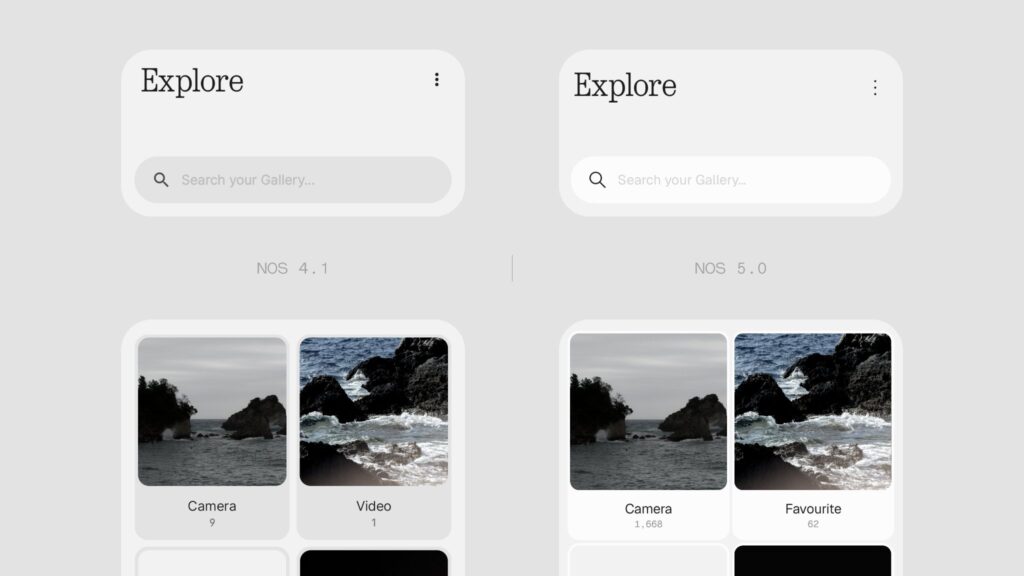
The Nothing Gallery Beta provides a direct preview of how system apps are being restructured for better usability and visual hierarchy.
- Explore Page: The “Explore” and Albums pages have been completely redesigned. Comparing the older interface to the OS 5.0 style, the new layout uses cleaner, rounded cards with more distinct borders, giving the grid a much more modern, polished look.
- Icon-Rich Context Menus: The subtle UI polish is most apparent in the interaction menus. Instead of the plain text lists found in OS 4.1, the new OS 5.0 context menus incorporate clean, minimalist icons next to actions like “Move to album,” “Duplicate,” and “Hide”.
- HDR Integration: The Gallery Beta also introduces a dedicated HDR display toggle, optimizing the viewing experience for high-dynamic-range photography directly within the app.
Dynamic Status Bar Animations
Beyond the Gallery app, the core system navigation is also receiving a massive facelift.
- Morphing Indicators: Official teasers have confirmed that the system status bar will feature newly choreographed animations. Rather than icons simply blinking on and off, the Wi-Fi, cellular, and battery indicators will smoothly morph and compress to make room for one another.
- Camera Cutout Integration: The new status icons are designed to reflow dynamically around the camera cutout rather than remaining confined to fixed, static slots.
- Split Status Bar Rumors: Industry reports further suggest that Nothing OS 5.0 may completely ditch the traditional single-panel dropdown menu, replacing it with a split status bar mechanic similar to iOS or modern Android skins.

PFD Context:
After the stagnant, uninspired release of Nothing OS 4, Carl Pei’s software team absolutely needed to deliver a visually engaging update this year. Based on the Gallery Beta and the confirmed Android 17 underlying architecture, Nothing OS 5.0 looks like a massive step in the right direction.
The introduction of “Live blur” and translucent floating UI elements adds a layer of depth that the previously flat Nothing OS desperately needed. While the addition of icons in context menus might seem like a “subtle UI polish,” these are the exact micro-interactions that make an operating system feel premium rather than just purely utilitarian. The big question remaining for the August 25 reveal is whether these fluid animations and blurs will heavily drain the battery on older mid-range models.
Are you excited about the shift toward glass-like “Live blur” effects, or do you prefer the flat, solid monochrome look of older Nothing OS versions?
Visit our website daily for latest tech news. Follow Us on Instagram for awesome tech stuff. Also, Join our Telegram Group and connect directly with Admin.


