


Rockstar Games has officially released the first major post-launch software update for Grand Theft Auto VI across WINNERPlayStation 5 and Xbox Series X|S. Identified as version 01.002.002 on PlayStation 5 and version 1.0.2.2 on Xbox Series consoles, the November 23 update delivers targeted stability improvements and resolves several high-profile glitches that have affected early players exploring the state of Leonida. Most notably, the hotfix repairs game-breaking autosave errors, eliminates endless wanted levels that prevented players from escaping police pursuits, restores dynamic weather cycles, and rectifies narrative phone call triggers that previously halted critical story campaign progress.
Rockstar Games Deploys First GTA 6 Post-Launch Patch: Platforms and Download Sizes
Four days after launching to critical acclaim worldwide, Rockstar deployed the patch simultaneously across modern console hardware to address day-one telemetry data. Because millions of players are concurrently connected to game services across Vice City, the developer is executing a gradual server-side phased rollout, ensuring players receive the update without overwhelming content delivery networks.
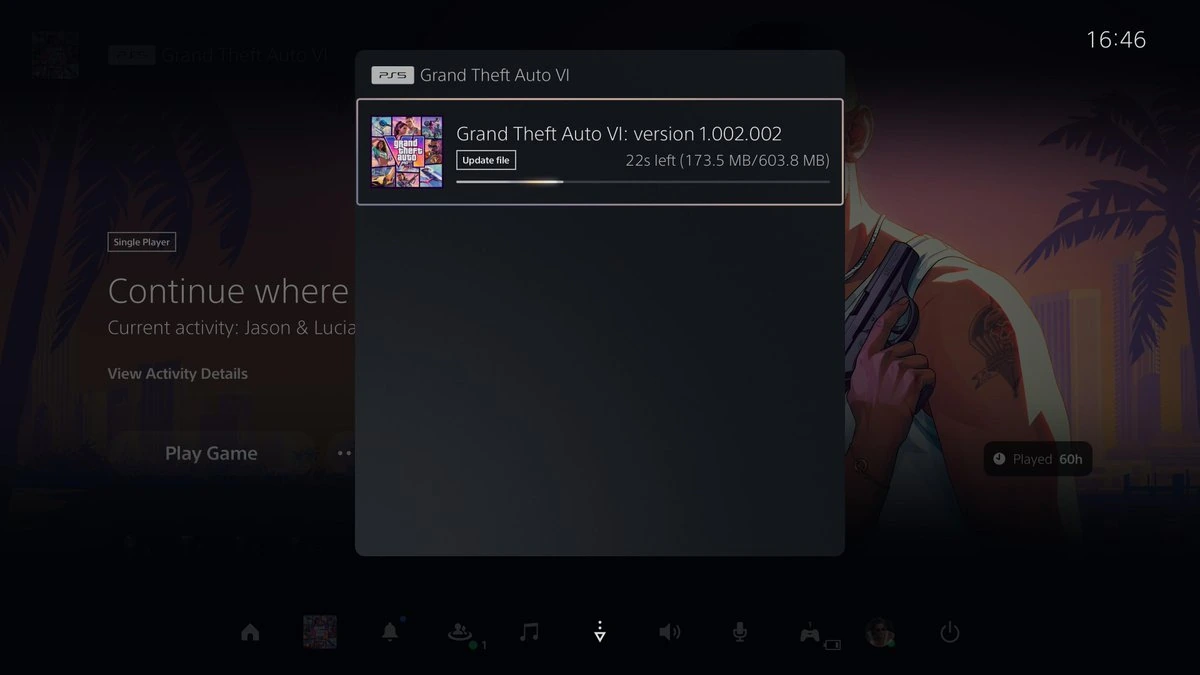
File sizes vary between platforms due to differences in console package compression algorithms:
| Platform | Patch Build Version | Download Size | Rollout Phase |
|---|---|---|---|
| PlayStation 5 | Version 01.002.002 | 603.8 MB | Active Worldwide (Live Now) |
| Xbox Series X | Version 1.0.2.2 | 1.6 GB | Active Worldwide (Live Now) |
| Xbox Series S | Version 1.0.2.2 | 1.6 GB | Active Worldwide (Live Now) |
Complete Patch Notes Breakdown: Every Confirmed Gameplay and System Fix
According to official documentation published on Rockstar Support, the launch update addresses critical system-level stability and gameplay interactions across both story missions and open-world exploration. As documented in our comprehensive GTA 6 master gameplay guide, map, tips, and cheats, several players encountered edge-case collision and script hiccups during early-game heist prep.
The official patch notes detail the following verified adjustments:
- System Crash Resolutions: Fixed several distinct causes of sudden software crashes occurring during high-density city driving and prolonged cutscene transitions.
- Dynamic Weather Normalization: Fixed an issue where localized weather patterns became permanently frozen on single environmental conditions (such as perpetual fog or continuous torrential downpours) for extended periods.
- Autosave Corruption Patch: Fixed a critical autosave issue where progress files failed to write properly to local console solid-state storage.
- Mission Phone Call Triggers: Fixed a blocking issue where character mobile phone calls failed to ring or trigger, preventing players from progressing core storyline arcs or unlocking secondary side missions.
- Infinite Wanted Level Glitch: Fixed a bug where players could not lose their Wanted Level even after breaking line of sight, hiding inside alleyways, or utilizing Pay ‘n’ Spray respray garages.
- Gym Deadlift Bar Glitch: Fixed an interaction collision error that made the heavy deadlift barbell completely unusable inside commercial workout facilities.
- Loot Bag Fence Handoff: Fixed an AI pathing bug that prevented criminal partners from handing over packed duffel bags to players so they could sell stolen contraband to black-market fences.
Critical Bug Fixes: Autosave Recovery, Mission Triggers, and Infinite Wanted Levels
Among the fixes deployed in update 01.002.002, three resolutions carry profound implications for player progress. The most vital fix tackles the autosave failure that caused unfortunate players to lose hours of mission milestones, safehouse unlocks, and customized vehicle fleet additions.

Prior to this patch, our GTA 6 manual and auto-save guide advised players to rely strictly on manual save slots via safehouse beds and smartphone cloud sync. With build 01.002.002 installed, background autosaving now writes reliably to local storage after major robbery payouts, mission completions, and clothing purchases without corrupting recent checkpoints.
Equally critical is the fix for inescapable wanted levels. Under certain circumstances in Vice Beach and Kelly County, law enforcement dispatch scripts remained locked in pursuit mode indefinitely, rendering police evasion virtually impossible. Rockstar has rewritten the search cone decay logic, allowing players to duck into secluded foliage, parking garages, or underground conduits to shed active stars normally.
Furthermore, players tracking down rare world vehicles, such as the recently discovered GTA 6 Paul Walker car location on Vespucci Island, will no longer experience sudden despawns when fleeing law enforcement across canal bridges.
Dynamic Weather Restoration: How Rockstar Resolved Frozen Skies Across Leonida
Grand Theft Auto VI boasts one of the most sophisticated atmospheric simulation engines ever built, featuring multi-layered cloud volumetrics, localized micro-climates, and sudden tropical thunderstorms rolling off the Atlantic Ocean. However, an ambient weather timer bug frequently caused severe weather states, like heavy rainstorms with lightning, to lock in place indefinitely.
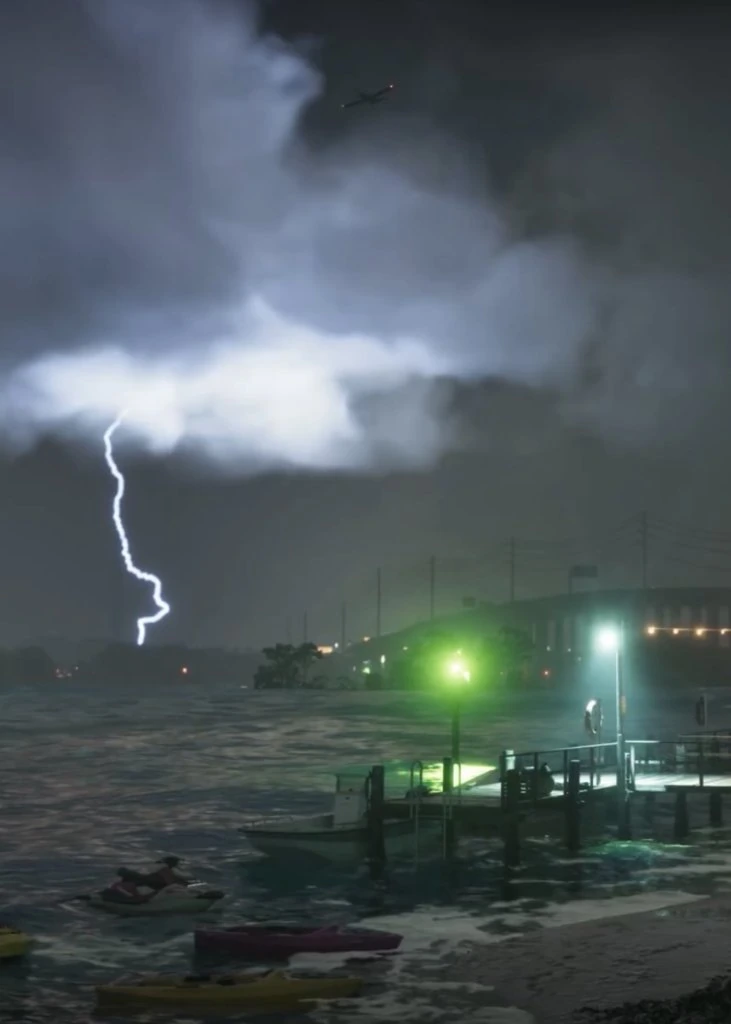
While exploring marsh regions like Grassrivers, players reported enduring non-stop thunder and low-visibility rainfall across multiple in-game weeks. As detailed in our geographical overview of the GTA 6 official map guide across Leonida counties and highways, weather is meant to cycle naturally between sunshine, afternoon cloud buildup, intense squalls, and clear golden-hour sunsets. Patch 01.002.002 recalibrates the global weather state machine, ensuring cloud formations and wind currents evolve dynamically every few in-game hours.
Download and Installation Guide: How to Verify Your Build Version on PS5 and Xbox
Both console platforms are designed to download and apply game patches automatically if instant-on background updates are enabled. To confirm that your installation has updated to the latest build, follow these platform-specific verification steps:
- PlayStation 5 Verification: Highlight the Grand Theft Auto VI game icon on your PS5 home screen. Press the Options button on your DualSense controller and select Information. Verify that the displayed version reads 01.002.002. If the version shows 01.002.001, choose Check for Update from the menu to manually pull the 603.8 MB download.
- Xbox Series X|S Verification: Navigate to My Games & Apps > Manage > Updates. Locate Grand Theft Auto VI in the queue. Press the View button on the game tile and select File Info. Confirm that the application build reads 1.0.2.2.
Following installation, players do not need to start a new campaign save. All fixes, including restored partner bag handoffs and operational gym equipment, apply seamlessly to existing save files.
Stay Ahead in the Tech World
Join our community for breaking news, exclusive gadgets coverage & direct admin support.

