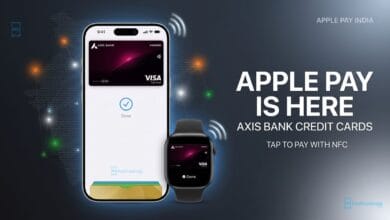
The update, released on September 16, brings exciting new features that allow users to personalize their devices like never before. Here’s a closer look at the new functionalities.
Customizable Home Screen
With iOS 18, you can now place icons anywhere on your Home Screen for a more personalized experience. Users can also recolor icons with new “dark” and “tinted” options, and make icons bigger without text labels, creating a minimalist and modern look.
Redesigned Control Center
The Control Center has received a major update, making it more flexible and user-friendly. iOS 18 allows you to rearrange and resize controls, offering more customization. Plus, the new Controls gallery provides additional options for adding features to the Control Center.
Security is a key focus in iOS 18. You can now lock specific apps using Face ID, Touch ID, or a passcode, ensuring better protection for your sensitive apps. Additionally, users can hide apps by moving them into a hidden apps folder, which is also password-protected.
Customizable Lock Screen Controls
iOS 18 lets users change the Flashlight and Camera icons on the Lock Screen for the first time. You can replace these with shortcuts to other apps or functions that you frequently use, making your Lock Screen even more functional.
With its global release on September 16, iOS 18 delivers powerful customization features that enhance user control and security. From rearranging the Home Screen to locking individual apps, iPhone users now have more ways to personalize their devices.
Tags: iOS 18, iPhone customization, global rollout, iOS 18 features, Apple update, customizable home screen, lock screen features, lock apps, control center update